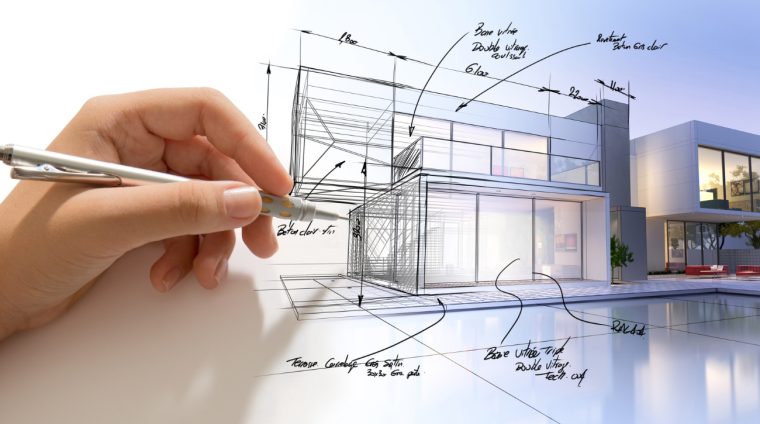

xBook Technology & Architecture – 3D House
Understand Architecture through Visualization – Explore – Design
xBook Technology & Architecture – 3D House is an interactive simulation created for learners who want
to truly understand a house’s structure from the inside out, instead of just viewing flat 2D floor plans on paper.
The standout feature is its fully interactive 3D model:
you can rotate · zoom in/out · hide or reveal each floor, each room, or even individual elements to explore by yourself
how the house is built and how it works. Thanks to this, architecture becomes
easy to grasp · vivid · incredibly close to real life.
Highlights
- Full 3D House Model clearly displays floors – rooms – walls – doors – roof – staircase,
helping learners visualize three-dimensional space in an intuitive and realistic way. - Layer-by-layer Interaction: you can hide/show the roof, ceilings, individual floors, or entire wall sections to look
internal structure of the house. - Integrating Technology & Architecture: easily understand concepts such as
load-bearing structure, usable space, pathways, lighting, ventilation
through direct manipulation of the model. - Practical Applications: relate to daily housing, townhouses, apartments, classrooms, etc…
to see that architecture is not distant but connected to life. - Suitable for Self-Study & Classroom Teaching:
teachers can project the simulation directly to illustrate lessons on
space, geometric solids, and construction technology.
Who should use it?
| Target Audience | Benefits |
|---|---|
| Elementary / Middle school students who love STEM | Get acquainted with the architecture and structure of housing through 3D images, understand how “the house one lives in” is organized. |
| High school students oriented towards Architecture – Construction – Design | Clearly see the spatial layout, pathways, room division, and initially understand the thinking behind organizing floor plans & 3D space. |
| Mathematics – Technology – Fine Arts teachers | Use simulations to integrate lessons on spatial geometry, engineering design, technical drawing, making class time intuitive and inspiring. |
Typical Simulation Examples
Remove the roof & ceiling to view the structure:
Hide the roof and the ceiling of the upper floor → observe how the stairs connect the floors,
the location of the bedroom, living room, kitchen → understand how the architect organizes internal circulation.
Observe light & space:
View the position of windows, balconies, skylights on the model → imagine the path of light and airflow →
recognize why some rooms are brighter and airier than others.
Benefits Gained
- Understand the house as a “system” consisting of multiple interconnected floors, rooms, and pathways.
- Better visualization of 3D space, supporting the study of geometry and other STEM subjects.
- Arousing interest in architecture, spatial design, and construction technology.
- Practice analytical thinking: “Why did the architect place the room, door, and stairs in this position?”
Conclusion
xBook Technology & Architecture – 3D House opens up a way to study architecture that is
smart – intuitive – proactive.
When you personally rotate, personally “disassemble and reassemble” the house on the 3D model,
the concepts of space, structure, and floor plan organization become
easy to understand, familiar, and full of creative inspiration.
- 2 Sections
- 2 Lessons
- Lifetime
- Apartment structure1
- Mechanics1